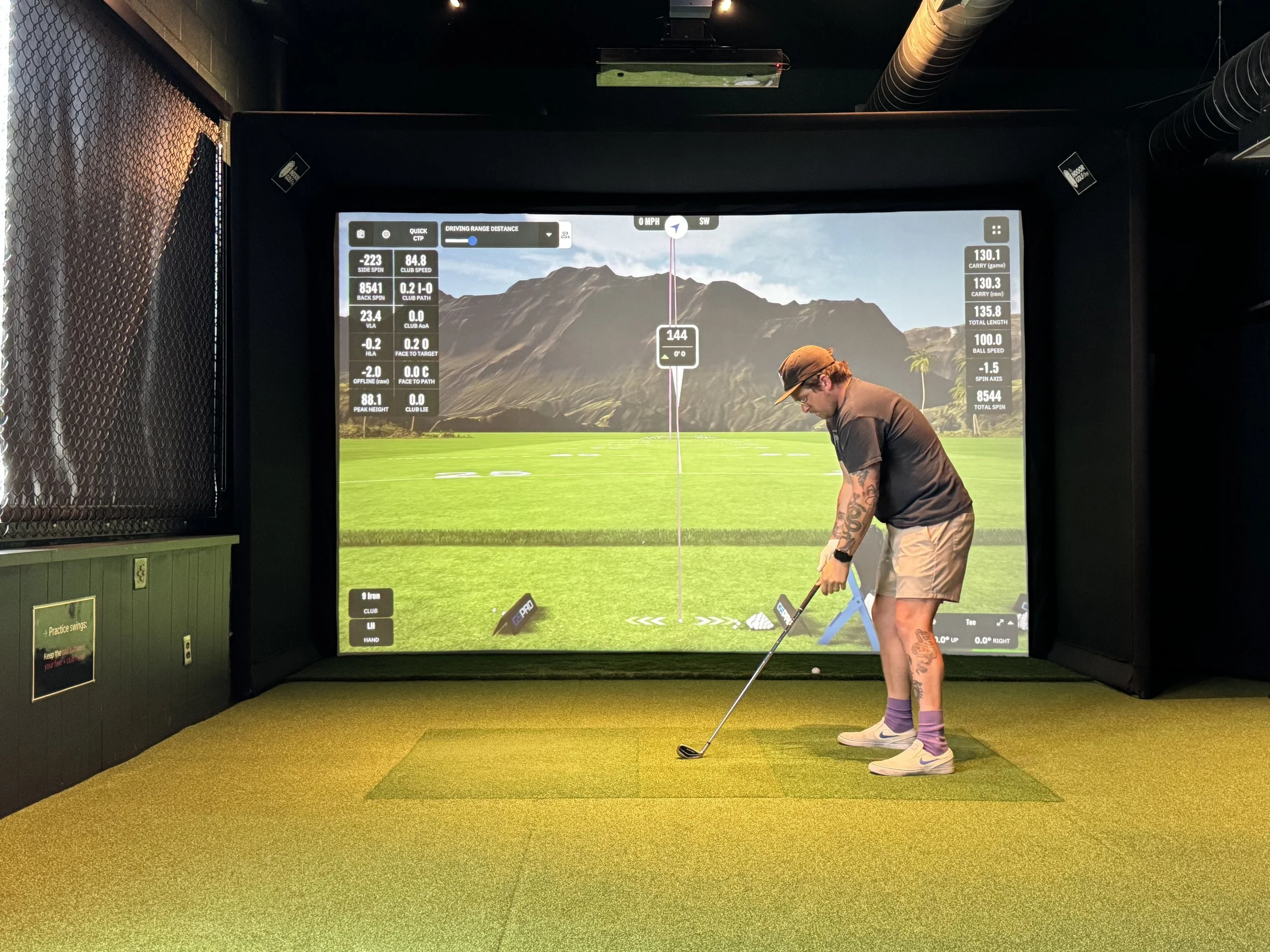
A golfer prepares to hit a shot at Swingers Golf Club’s indoor golf simulator in Portland using a Uneekor Eye XO launch monitor and GSPro software.
If you’ve never played on a modern golf simulator before, you’ve probably wondered:
“How accurate are these things, really?”
The honest answer?
Usually, they’re impressively accurate—but they’re not perfect.
Modern golf simulators have come a long way over the last decade. Professional golfers, instructors, club fitters, and everyday golfers rely on them to practice, dial in distances, and play famous courses from around the world.
That said, they’re still measuring a golf swing that lasts only a fraction of a second. Every now and then, you’ll see a shot that makes you scratch your head. Maybe a drive carries farther than expected, or a wedge spins a little more (or less) than you think it should. It happens.
The important thing is that those occasional oddball shots are the exception—not the rule.
What Does a Golf Simulator Measure?
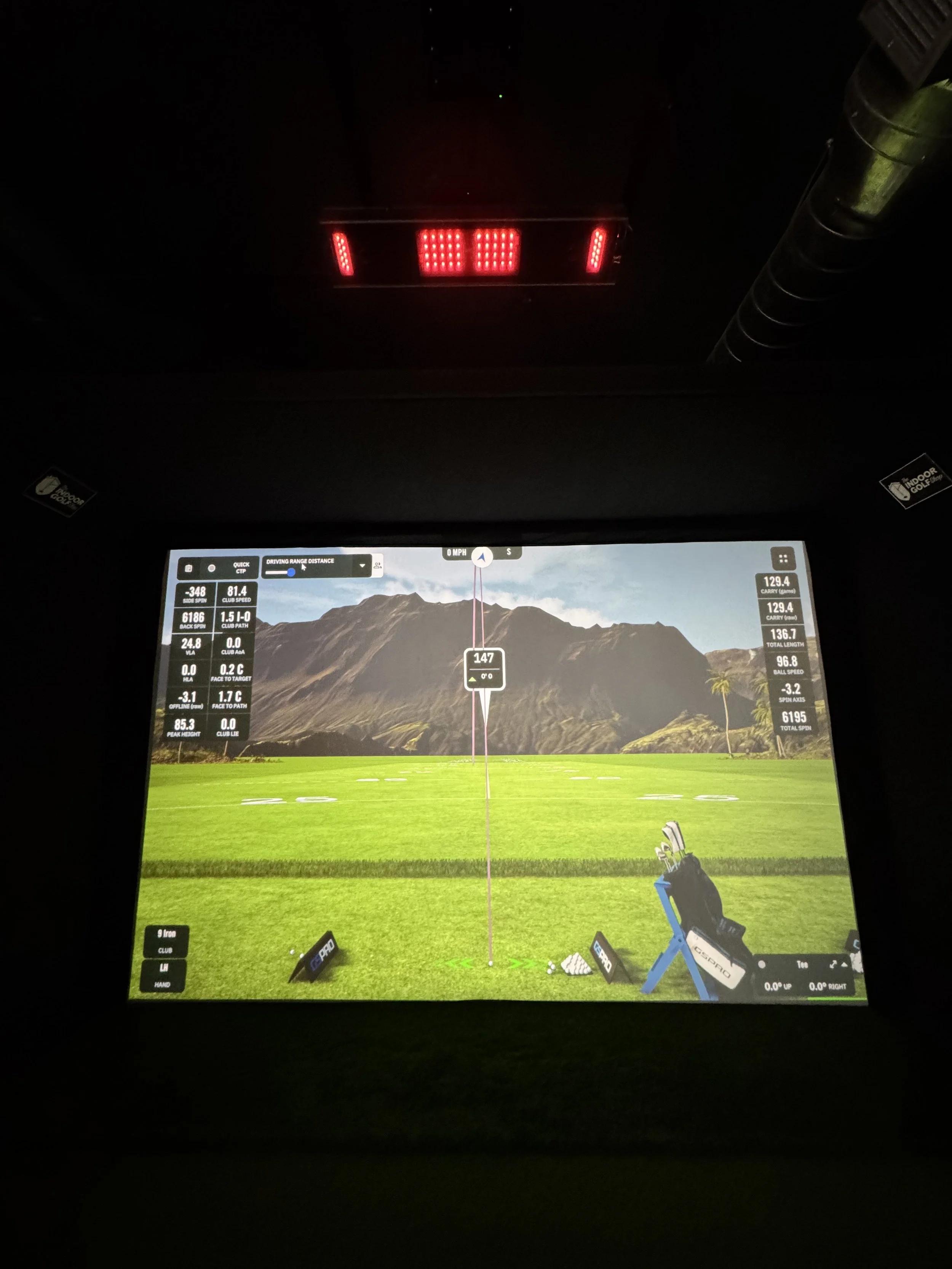
Swingers Golf Club’s launch monitor displays real-time golf swing data while the Uneekor Eye XO tracks the shot overhead.
Modern launch monitors can capture an incredible amount of information from every swing, including:
Carry distance
Ball speed
Club head speed
Vertical and horizontal launch angles
Spin rate(s)
Smash factor
Club path
Total distance
And more
Looking at these numbers together paints a much clearer picture of your golf swing than simply watching balls disappear into the distance at a driving range.
See Your Swing Data in Real Time
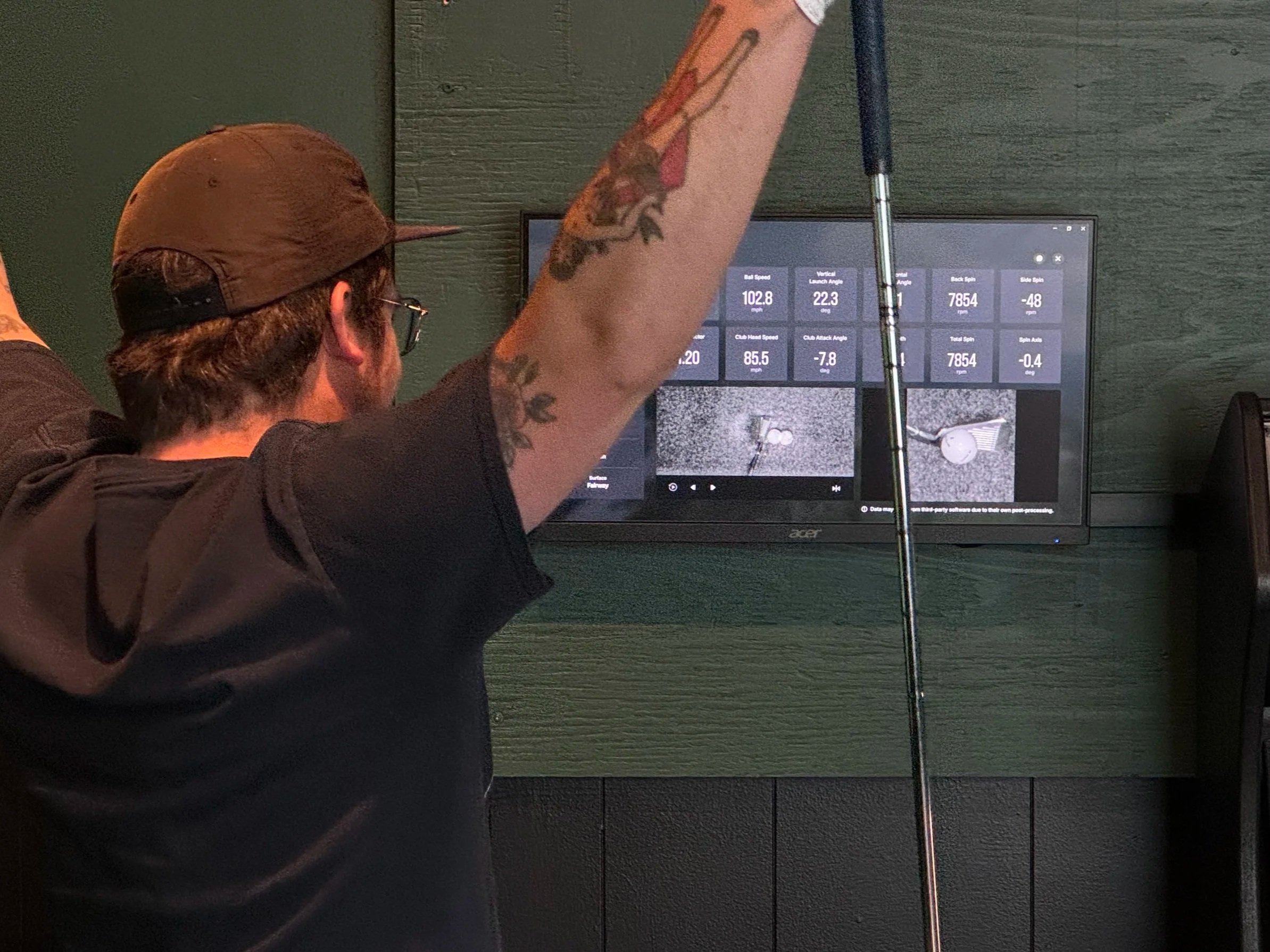
A golfer reviews launch monitor data, slow-motion replay, and clubface impact location after a shot.
One of our favorite parts about the setup at Swingers is that your swing data is displayed live on dedicated screens while you practice. There’s one mounted on each wall, so whether you’re swinging right- or left-handed, you can glance over after every shot without having to walk around the bay.
After every shot, you’ll see a variety of measurements—things like ball speed, launch angles, carry distance, spin rate, club path, face angle, and more. Whether you’re working on a specific part of your game or just curious how far you actually hit each club, it’s pretty addicting watching the numbers update after every swing.
But the numbers are only part of the story.
After each shot, you’ll also get a high-speed slow-motion replay of your swing from just before impact through just after impact. On top of that, the system captures a still image showing exactly where the ball struck the club face.
That information can be incredibly helpful if you’re trying to dial in your swing without obsessing over launch monitor data. If you notice you’re consistently striking the ball off the toe, try making an adjustment to move your contact toward the heel—or vice versa. Sometimes simply seeing your strike pattern tells you more than a page full of numbers.
Don’t worry if you have no idea what “spin axis” means. Most people don’t. Start with the basics—carry distance, ball speed, and where the ball ended up. If you get hooked on the numbers later, they’ll be waiting for you.
So…How Accurate Are They?
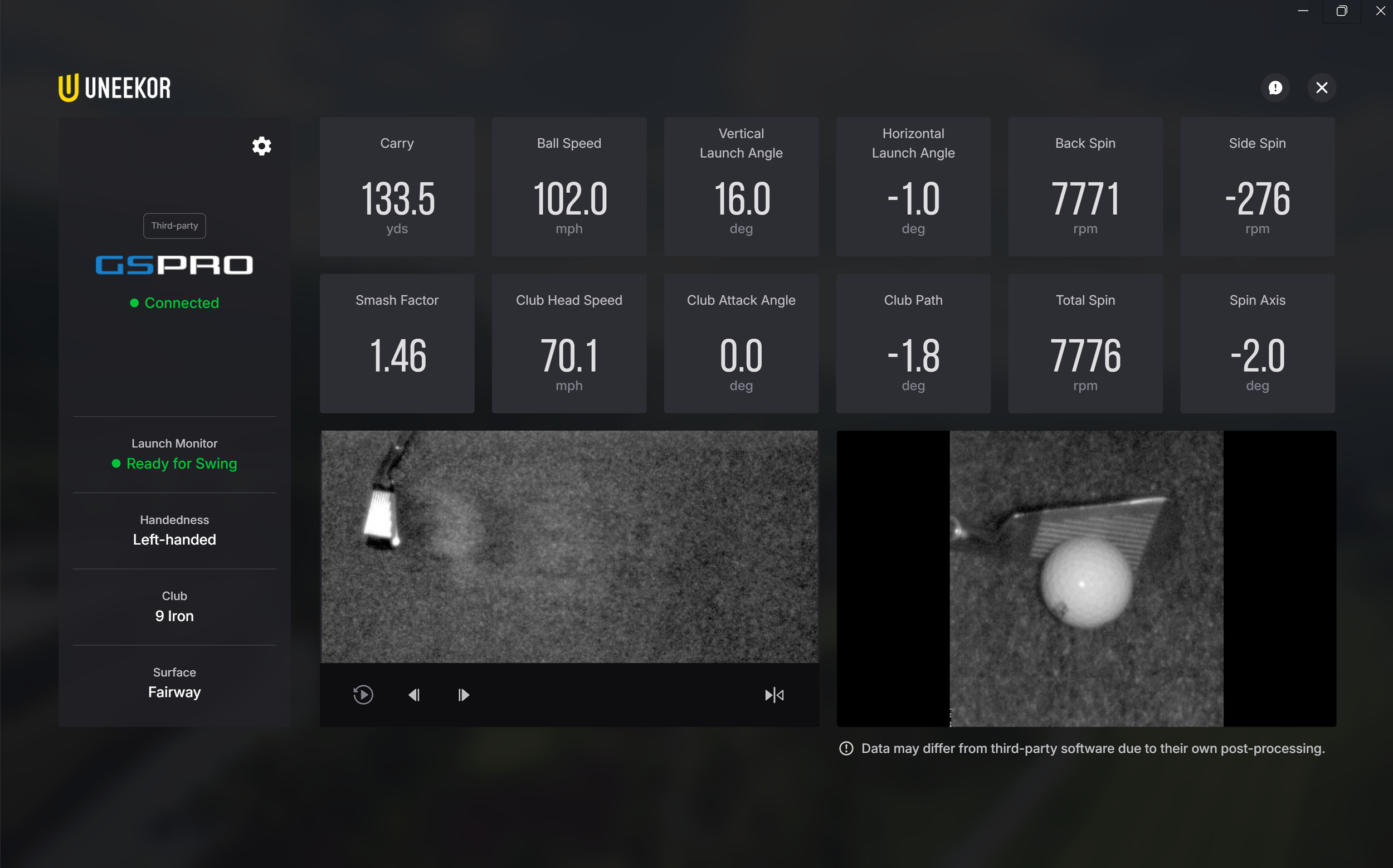
The Uneekor Eye XO launch monitor displays real-time golf swing data, including carry distance, ball speed, launch angle, spin rate, slow-motion impact replay, and clubface contact location.
At Swingers Golf Club, we use the Uneekor Eye XO, a ceiling-mounted launch monitor that uses two high-speed cameras to measure both the club and golf ball immediately before and after impact.
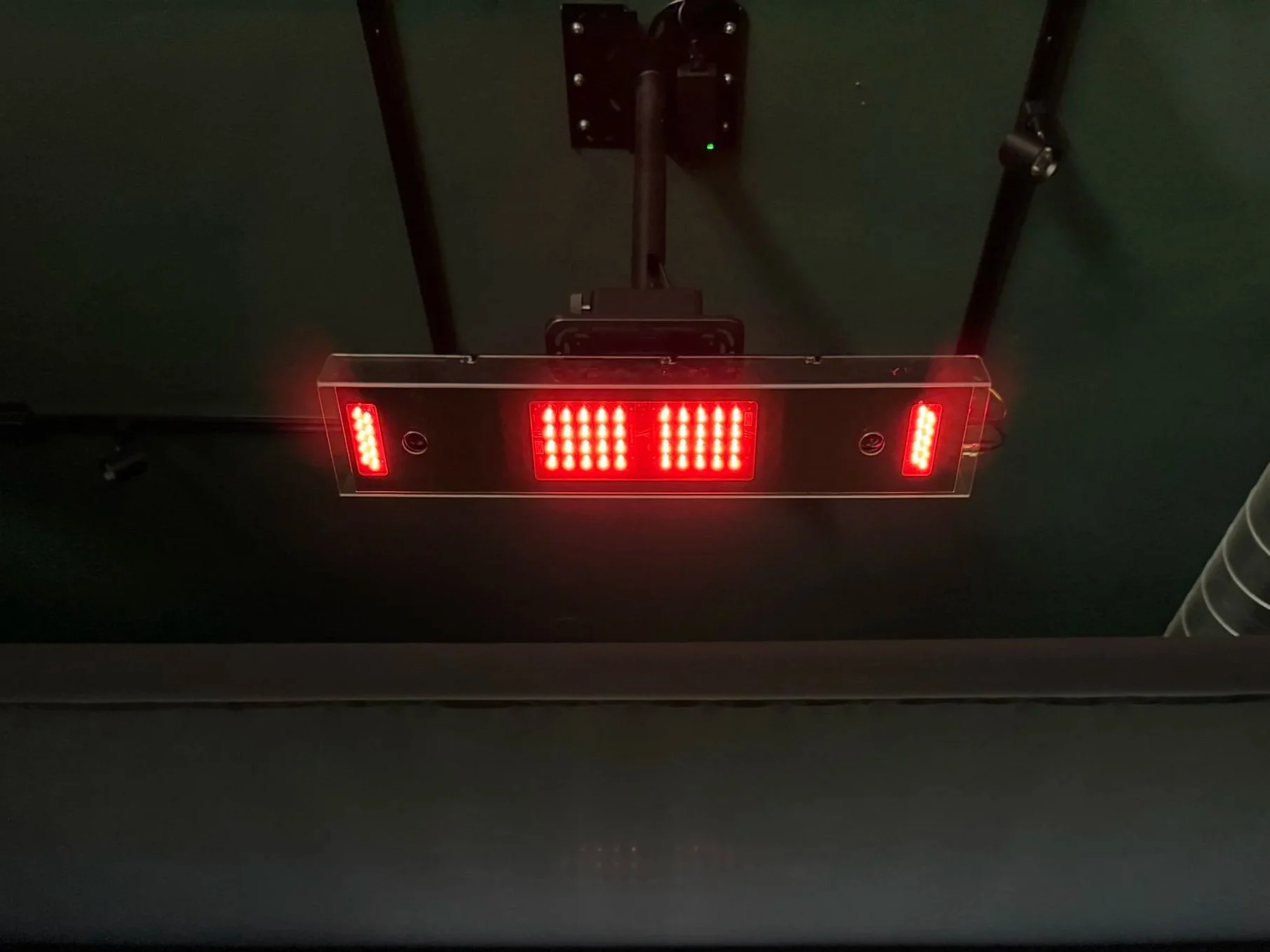
The ceiling-mounted Uneekor Eye XO launch monitor tracks every golf shot from above.
In our experience, it does an outstanding job.
Is every single shot perfect? No.
Occasionally, you’ll see a reading that seems a little off, just like GPS occasionally sends you on a weird route. Technology isn’t infallible.
But the overwhelming majority of shots produce realistic, repeatable numbers that are incredibly useful for practice and game improvement.
Weather, Wind & Course Conditions
One thing that’s easy to forget is that simulators aren’t always trying to show raw ball flight.
Many simulator programs—including GSPro, which we use at Swingers—allow you to customize playing conditions such as:
Wind speed
Fairway firmness
Green firmness
Elevation
Stimp
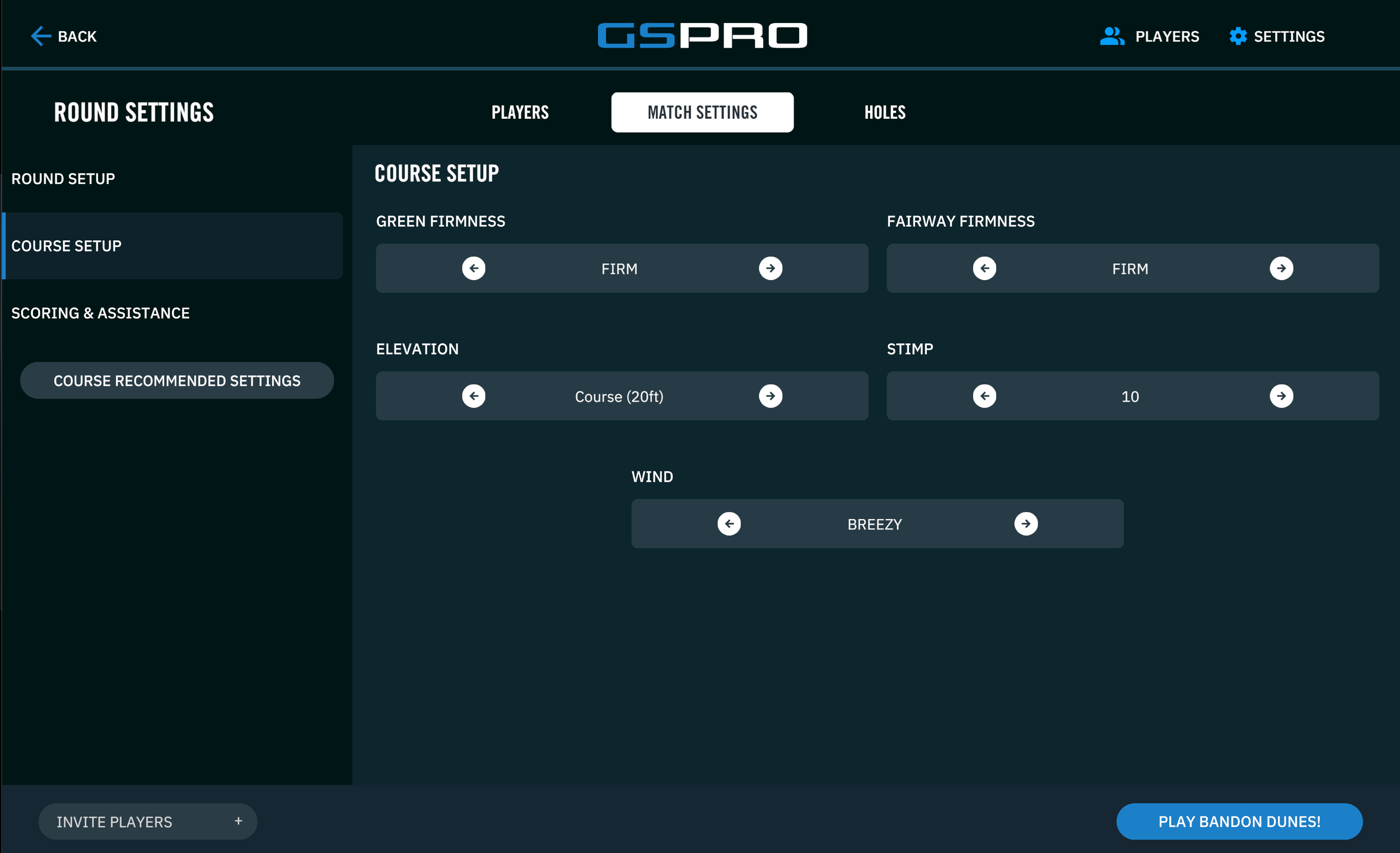
GSPro’s course settings let golfers adjust wind, elevation, green speed, fairway firmness, and other playing conditions to simulate everything from a calm summer round to a windy links course.
Want to play St. Andrews in a stiff crosswind? Go for it.
Want to tee it up at Pebble Beach on a calm summer morning? You can do that too.
Those settings change how the virtual golf ball behaves, just like they would on a real course.
Meanwhile, many of the launch monitor’s measurements—like ball speed, launch angle, spin rate, and club speed—are still your actual shot data. The simulator simply uses that information to calculate what the ball would do under the conditions you’ve chosen.
So if you accidentally left a 20 mph headwind turned on, don’t blame the driver.
Can a Golf Simulator Actually Help You Improve?
We honestly think this is where simulators shine.
The biggest advantage isn’t that they’re perfect—it’s that they give you instant feedback.
Instead of wondering why one shot faded and the next one hooked, you can actually see what changed.
Maybe your face was open.
Maybe your swing path got a little steep.
Maybe your spin jumped 2,000 RPM.
You don’t have to become a data nerd overnight, but even understanding one or two of those numbers can make practice way more productive.
We’ve watched plenty of people come in thinking they’re “just going to hit some balls,” then spend the next hour dialing in one club because they finally have real feedback after every swing.
The Takeaway
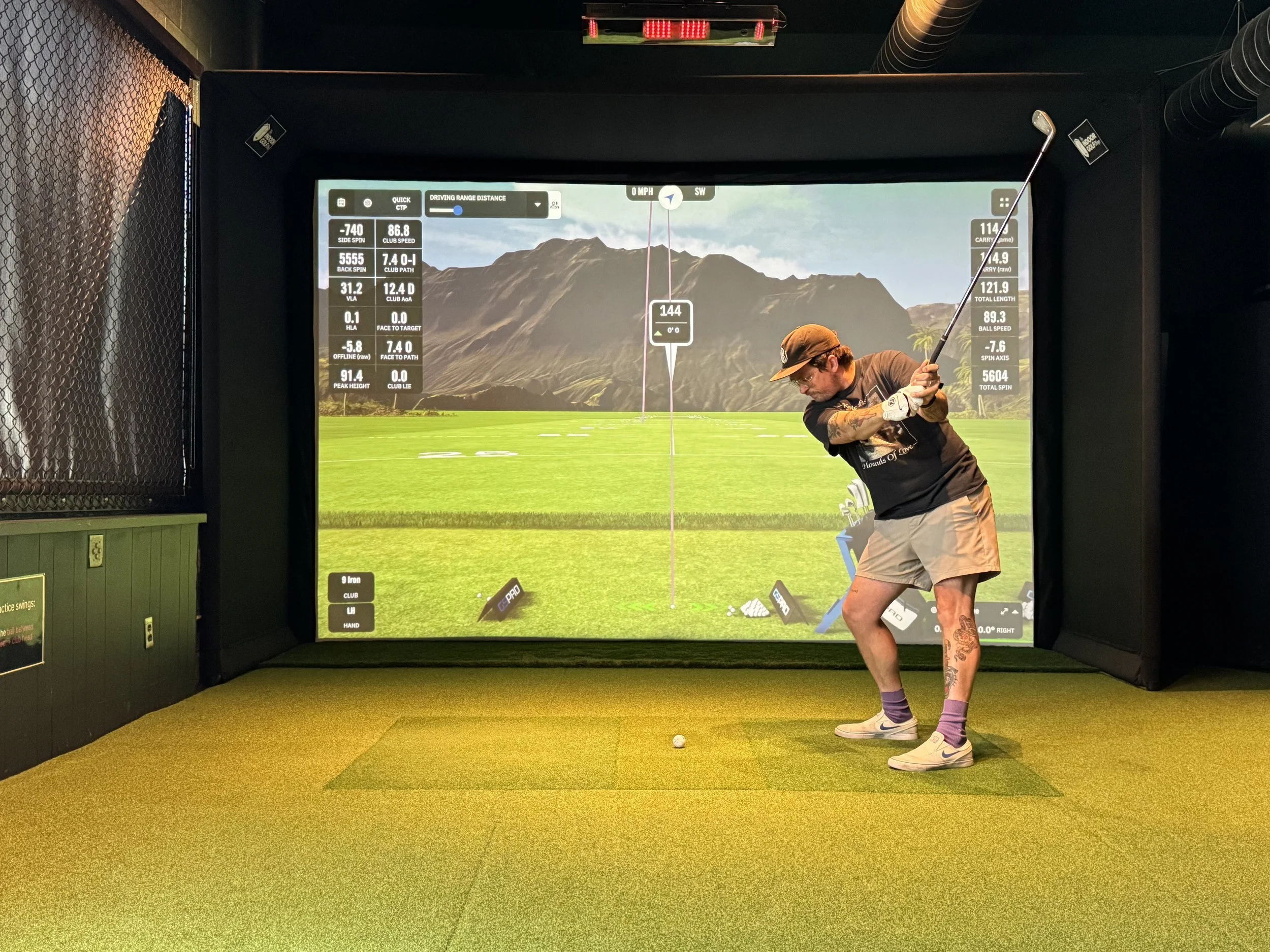
A golfer works on their swing at Swingers Golf Club using a Uneekor Eye XO launch monitor and GSPro simulator, with real-time shot data displayed after every swing.
Golf simulators aren’t magic, and they aren’t flawless.
But they’re remarkably good.
Good enough that professionals train on them. Good enough that club fitters trust them. And definitely good enough to help everyday golfers get better while having a good time.
At Swingers, we don’t pretend the simulator knows everything. We just think it’s one of the coolest practice tools ever invented.
Come hit a “bucket,” play a round with your friends, or settle a few friendly golf debates with some honest numbers.
Whether you’re chasing lower scores or just looking for a fun way to play year-round, a good golf simulator is one of the best tools a golfer can have.
Ready to See It for Yourself?
Whether you’re trying to improve your swing, dial in your distances, or just have a fun round with friends, we’d love to have you in.
Book a session at Swingers Golf Club and see what modern simulator technology can do.
